Ping_Alert Download
Ping_Alert V5
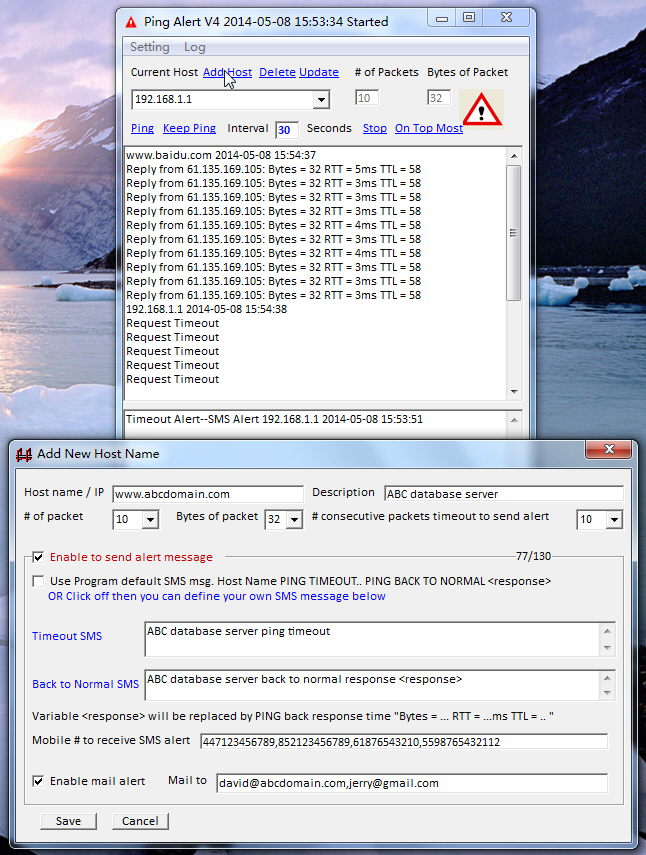
1. Click Add Host to add the
Host name / IP to be PING monitored
- Put your Host Name or IP and its
description
- Defined "# of consecutive packets timeout to send SMS"
- You can click to use program default SMS message or click off to
define your own notification text for "timeout SMS" and "Back to Normal SMS"
- "Mobile # to receive sms alert"
for you to define the mobile # to receive SMS notification. Different host can have
different mobile # to be notified. The mobile #
is international format with country code
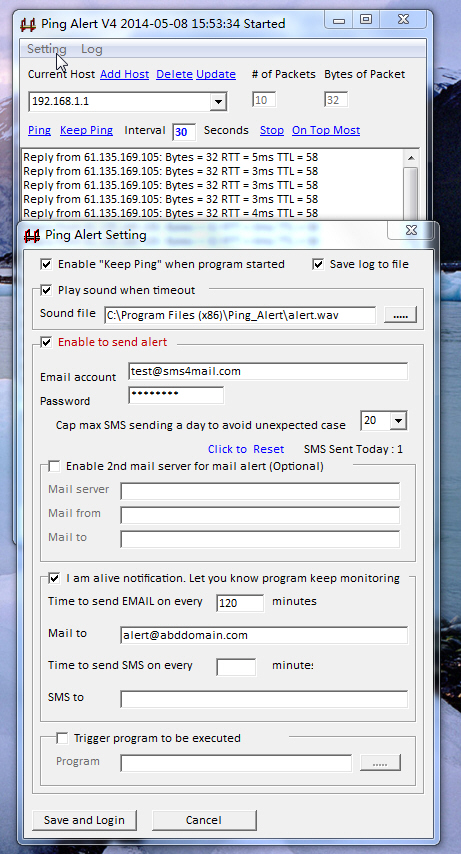
2. Click Setting to
setup
- Enable "Keep Ping" when
program started. Program will keep ping when it has been started by system
- "I am alive Email/SMS notification"
to let you know program has been
monitoring The mobile # for SMS notification is
international format with country code
- "Cap maximum SMS sending a day" to avoid unexpected
situation or Hub/Switch/Router Failure which cause lots of hosts failure
- Click "Save and login" or "Cancel
" to
try without notification
3. Keep Warning Signal Flashing When Any Host Timeout
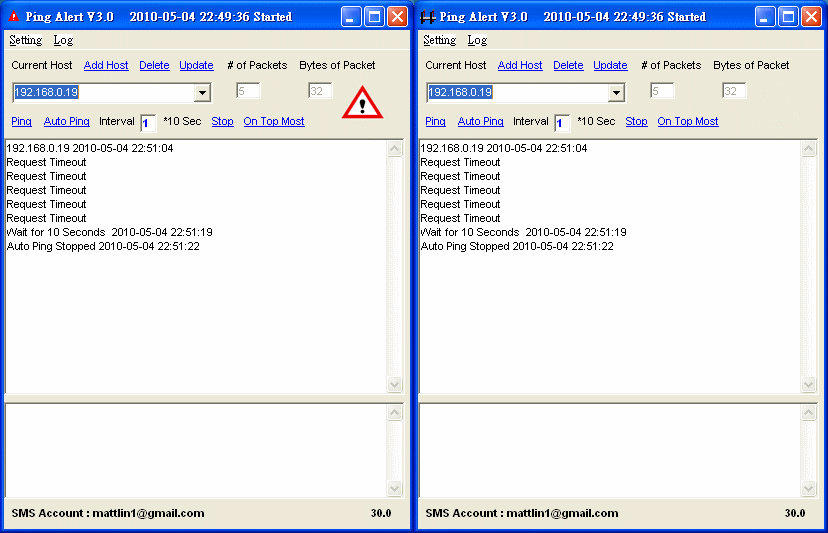
4. Keep Warning Signal Flashing When in Systray